
A shopping wishlist for later
Save the item, price and link instead of checking out.
Free on iPhone · Account optional
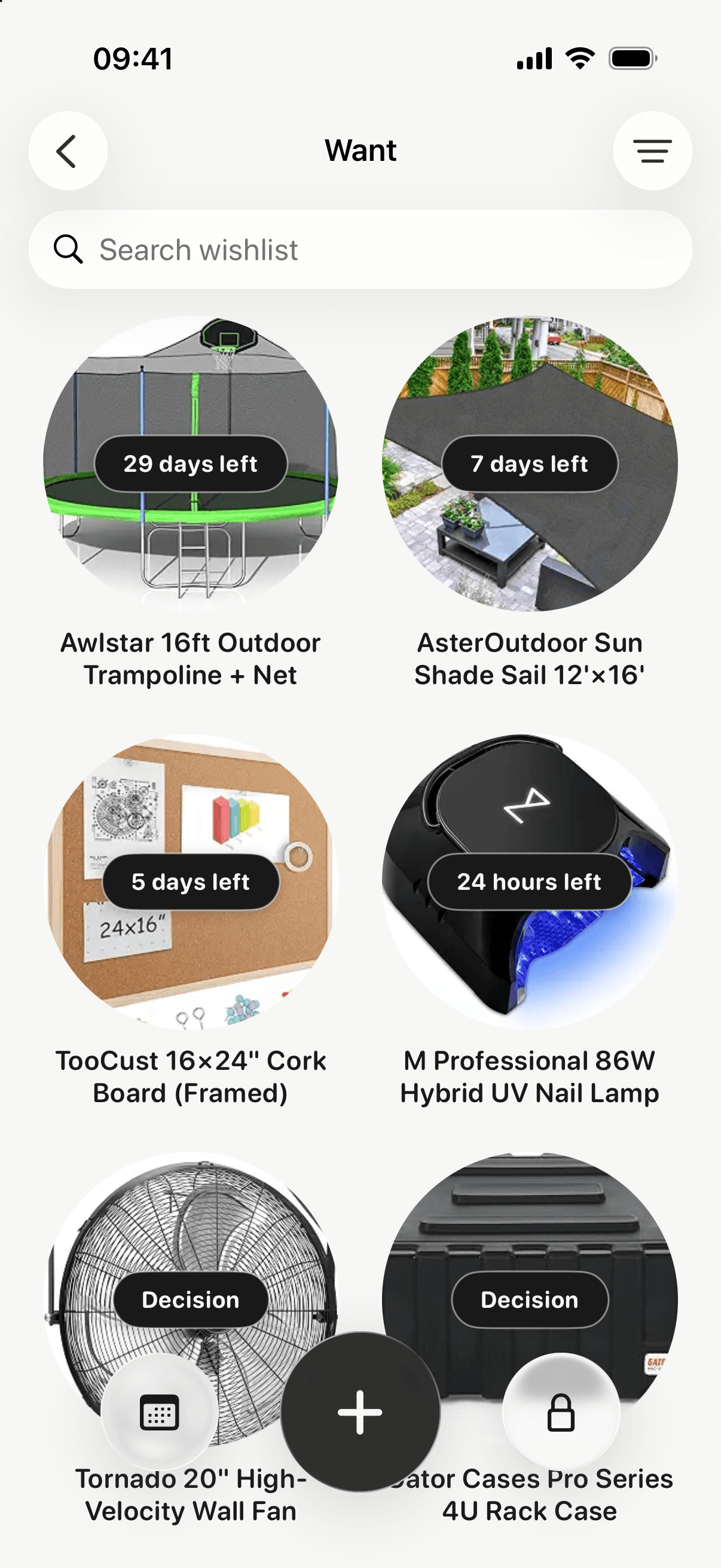
Save what you want, wait 24 hours to 30 days, then buy it or skip it.
For iPhone · iOS 18+ · No bank link
Wishlyr puts a pause between wanting and buying. Save the item, wait 24 hours to 30 days, then decide with a clearer head. Your data stays on your iPhone.
Features
Save the item, price and link instead of checking out.
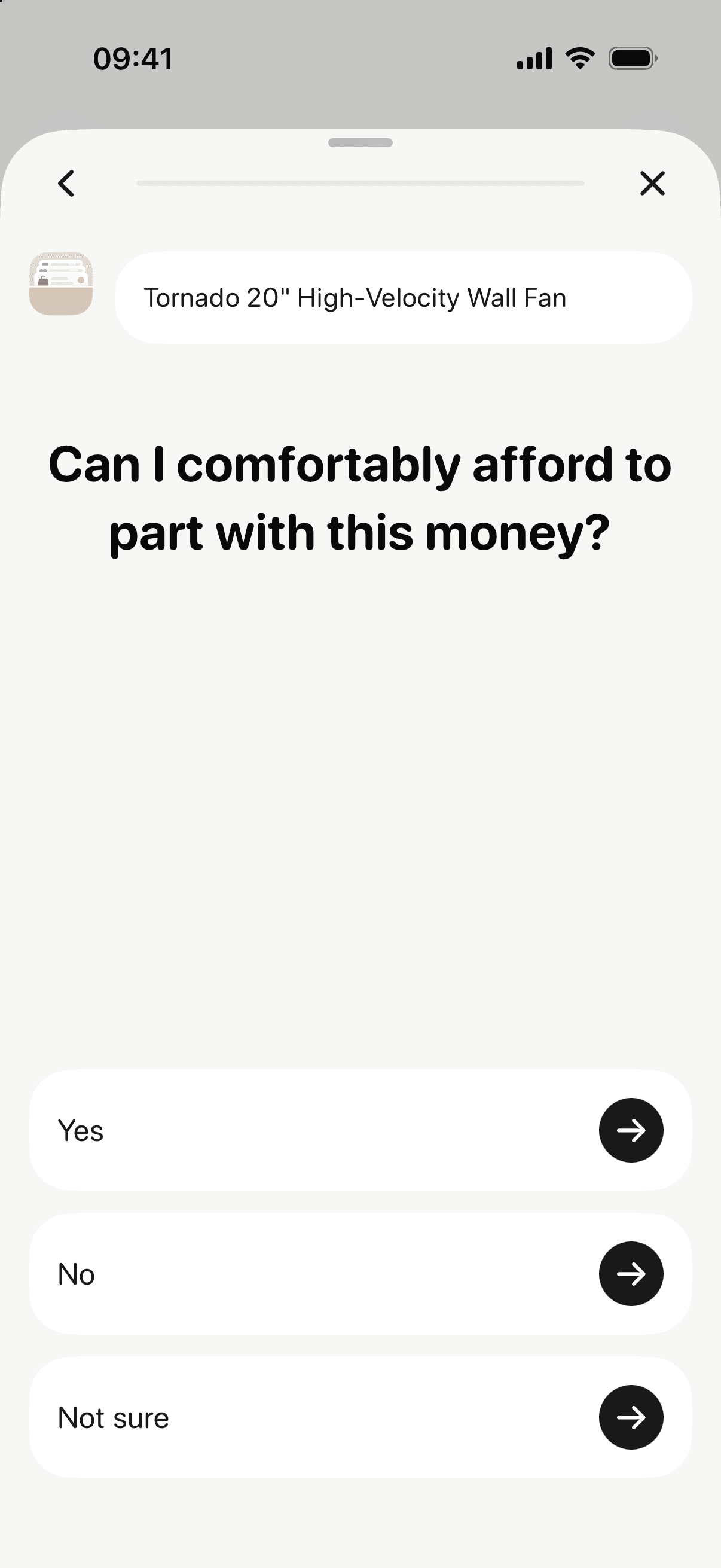
When the wait ends, buy it if it still fits, or mark it skipped.
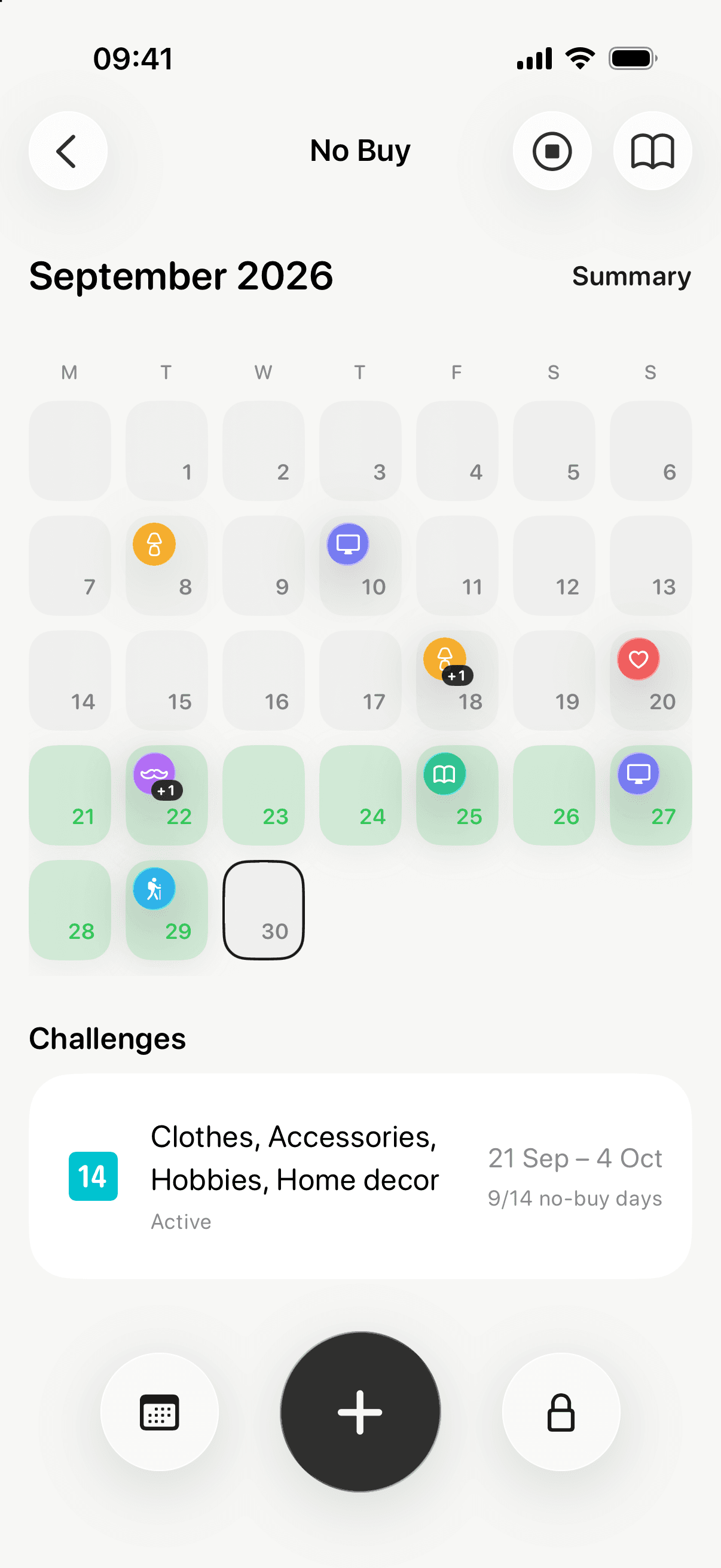
Free 7-day No Buy challenges with a check-in calendar. Pro adds 14 and 30 days. Earn milestone badges as you go.
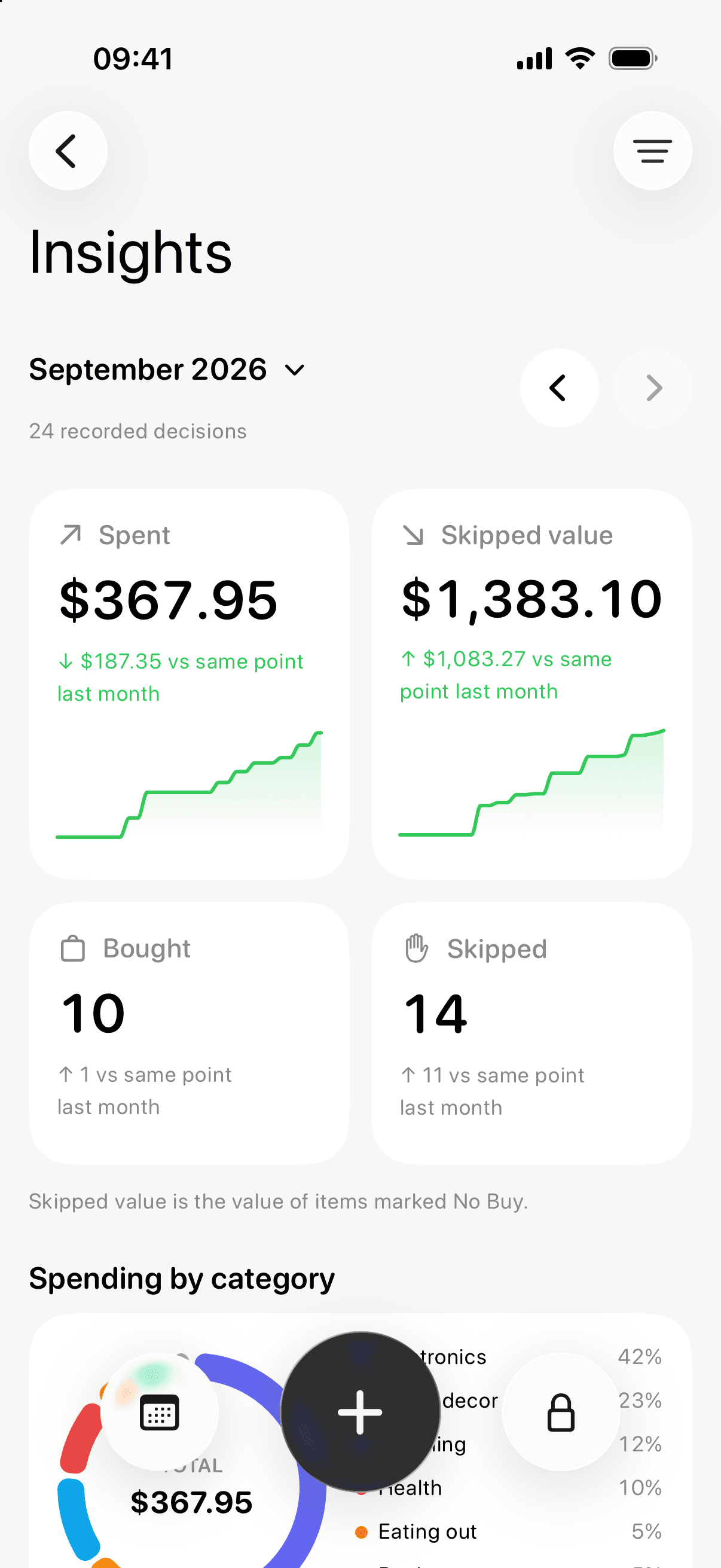
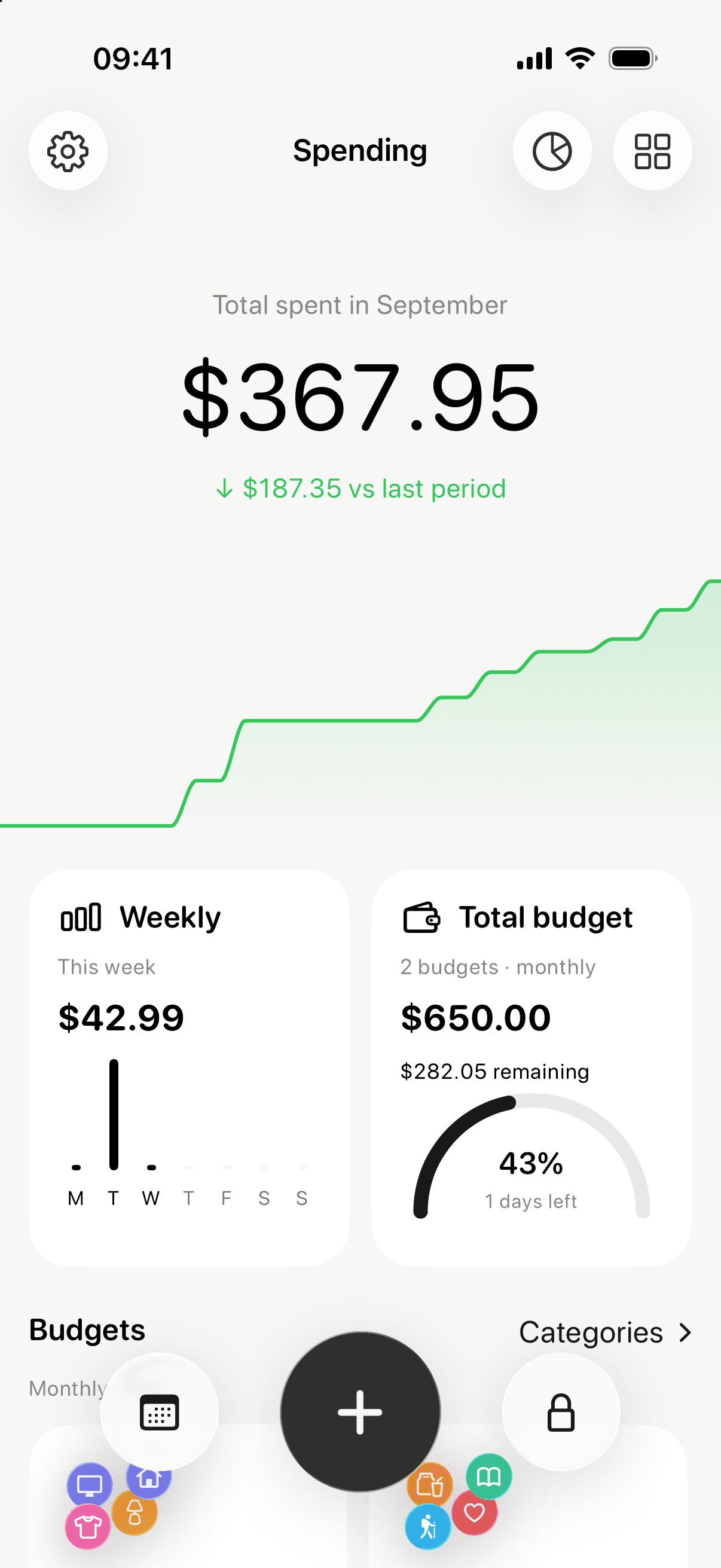
Monthly spending, category budgets and skipped-item value, built from what you record. No bank link.
Wait 24 hours, 48 hours, 7 days or 30 days before you decide.
Learn tools help when you are tempted: pause the urge, see the price in work hours, or ask "Should I buy this?"
Note how a purchase feels later, and use it next time.
Spending Shield (Pro) limits selected shopping apps with Screen Time.
Data stays on your iPhone. Pro adds private iCloud sync.
Pricing
The core habit is free. Pro removes the limits.
$0
All features
Current prices and offers are shown in the App Store before purchase.
FAQ
An iPhone app to stop impulse buying. Save an item, choose a waiting period, then come back to buy or skip. It also includes a free no-spend tracker.
Yes. Choose 24 hours, 48 hours, 7 days or 30 days for each item. The wait is a reminder to reconsider; it does not block checkout.
How long to wait before buyingYes, with Pro. Spending Shield uses Screen Time to lock the apps you choose, with 0 to 5 five-minute unlocks per app each day. It limits app access, not payments.
Compare shopping app blockers for iPhoneIt includes one monthly budget for free, and multiple budgets with Pro. Budgets use the purchases you record, not a bank connection. Subscriptions count each renewal in your spending and budgets.
On your iPhone. wishlyr works without an account. Signing in with Apple or Google is optional; it lets you invite friends and links your Pro purchase to your account. Pro adds sync through your private iCloud.
Free includes 5 active wants, unlimited decision history, one budget, repeatable 7-day No Buy challenges, basic Insights and Learn tools. Pro adds unlimited wants, multiple budgets, past budget months, 14- and 30-day challenges, advanced Insights, Spending Shield and private iCloud sync. Prices are shown in the App Store.
Everything you saved stays available and editable. Free limits apply only to new items: more than 5 active wants, a second budget or a challenge longer than 7 days. Advanced Insights, Spending Shield and iCloud sync need active Pro.
Guides
Find what sets off a purchase and choose a response.
Compare apps that add a pause before you buy.
Write rules you can use, and keep essentials allowed.
How long to wait, and what to check while you do.